Maximizing Value with Your Christmas SVG and Christmas SVG Bundle Purchases
The holiday crafting season arrives earlier every year, bringing with it a surge of interest in Christmas SVG files and comprehensive Christmas SVG bundle collections. For creators ranging from small business owners to hobbyists, these digital assets are the foundation of festive merchandise, home decor, and personalized gifts. However, the excitement of acquiring new designs for Merry Christmas 2024 projects often leads to overlooked technical details that can hinder production quality. Understanding exactly what you are downloading and how to utilize it correctly is essential for avoiding wasted materials, frustrated evenings at the cutting mat, and subpar final products.
Understanding File Compatibility Beyond the Hype
A common misunderstanding among both beginners and experienced crafters is assuming all vector files function identically across different software platforms. When you purchase a Christmas SVG Design or a Retro Christmas Sublimation Bundle, you are typically receiving a ZIP file containing multiple formats. It is vital to recognize which specific file serves your current workflow rather than defaulting to the first option listed.
- SVG File (Layered): This is the industry standard for Cricut Design Space and Silhouette Studio (Business Edition). A properly layered SVG allows you to change individual colors of a Farmhouse Christmas design without ungrouping complex paths. If the layers are flattened, you lose editability.
- DXF File: Essential for users of the free version of Silhouette Studio. Many designers overlook this format, but without it, free-tier users cannot open vector cut files. Always verify this inclusion before buying a Christmas Shirt Bundle.
- PNG File (Print-Ready): Crucial for Christmas Sublimation and heat transfer vinyl. Ensure the PNG has a transparent background and high resolution (300 DPI). Low-resolution PNGs result in pixelated Vintage Christmas Label Sublimation transfers that look unprofessional on apparel.
- EPS and AI Files: These are necessary for professional scaling in Adobe Illustrator or CorelDRAW. If you plan to resize a Christmas Ornament Bundle for large signage or modify intricate Watercolor Illustration elements, these source files prevent quality loss that occurs when stretching standard SVGs.
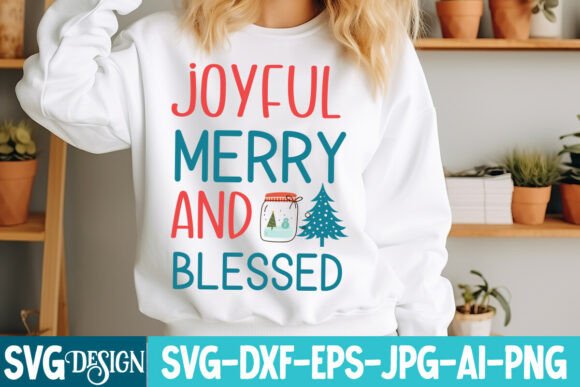
Neglecting to check for these specific formats often results in purchasing a Christmas SVG bundle that is technically incompatible with your equipment. Before completing a transaction for an Instant Digital Download, review the product description to confirm the inclusion of all six standard files: SVG, EPS, PNG, DXF, AI, and JPEG. This due diligence ensures your Christmas Apparel and Christmas Card projects proceed without technical roadblocks.
Evaluating Design Complexity for Intended Use
Not every beautiful Christmas Clipart image translates well into a physical product. A frequent mistake is selecting intricate Vintage Christmas designs for vinyl cutting without considering weeding difficulty. Highly detailed Farmhouse Christmas SVG files with thin lines or tiny text may look stunning on screen but can tear during weeding or fail to adhere to textured fabrics like canvas or burlap.
Conversely, simple Groovy Christmas or Buffalo Plaid Christmas SVG designs are often underestimated for sublimation. While they cut easily, they may lack the visual depth required for high-impact Christmas Sweatshirt prints. The corrective approach involves matching the design complexity to the application method:
- For Vinyl Cutting: Prioritize bold lines and minimal internal detail. Look for Funny Christmas SVG or Sarcastic Christmas quotes with clean typography. Avoid Word By Layer Cut File designs where letters overlap excessively unless you have advanced weeding tools and patience.
- For Sublimation: Embrace complexity. Christmas Post Stamps Sublimation and Retro Christmas SVG styles thrive on texture and color gradients that vinyl cannot replicate. Ensure the file is specifically marketed as a sublimation design, as standard cut files may lack the necessary color profile saturation.
- For Print-and-Cut: Verify registration mark placement. Some Christmas Sign Bundle files extend artwork too close to the edges, causing printer alignment errors. Adequate white space around the design is a marker of professional file preparation.
Verifying Licensing for Commercial Holiday Products
Perhaps the most critical oversight in the digital download space is assuming personal use rights extend to commercial sales. As entrepreneurs create Family Christmas merchandise or Christmas Gifts for Etsy shops, licensing compliance becomes non-negotiable. A Christmas SVG Bundle priced significantly lower than market average may carry restrictive terms that prohibit selling finished goods or require attribution.
Always read the license agreement included in your ZIP file. Reputable designers clearly state whether their Ho Ho Ho graphics allow for mass production, print-on-demand integration, or digital redistribution. Using a Christmas Font Bundle or illustration without proper commercial rights exposes your business to legal risk and platform penalties. Furthermore, some licenses distinguish between selling physical items made from the Christmas Sublimation Designs versus selling the digital files themselves. Never assume; always verify. This distinction protects both the creator’s intellectual property and your business integrity.
Optimizing Workflow with Organized Digital Assets
Digital hoarding is a genuine productivity killer during the busy Merry Christmas season. Downloading dozens of Christmas Sayings and Santa Claus vectors without immediate organization leads to duplicate purchases and lost time searching for that perfect Reindeer silhouette. Implementing a systematic filing strategy upon download prevents this chaos.
Create a master folder structure categorized by style (Retro Christmas, Farmhouse, Vintage), file type, or project intent. Rename generic filenames like "design_001.svg" to descriptive titles such as "Vintage_Christmas_Label_Sublimation_300dpi.png." This small investment of time pays dividends when you need to quickly locate a specific Christmas Ornament layer or Family Name Christmas template under deadline pressure. Additionally, maintain a spreadsheet tracking your Christmas SVG bundle purchases, including license terms and source links. This record simplifies future audits and helps identify gaps in your design library before the holiday rush peaks.
Quality Checks Before Production Runs
Even with the right files and licenses, failing to test print or cut settings can ruin expensive blanks. Christmas Sublimation Bundle colors often appear different on screen than on fabric due to monitor calibration and ink profiles. Similarly, Christmas Tree SVGs may have stray nodes invisible at zoom level but problematic during cutting.
Adopt a testing protocol for every new Christmas SVG Design. Cut a small section on scrap material to verify blade depth and weeding ease. Print a swatch on sublimation paper to check color accuracy and ghosting potential. For Watercolor Illustration transfers, test wash fastness if creating heirloom-quality Family Christmas items. These preventive steps distinguish professional results from amateur attempts. Remember that a high-quality Christmas SVG bundle provides the raw materials, but your craftsmanship and attention to technical detail determine the final value. By approaching digital downloads with informed scrutiny rather than impulsive acquisition, you ensure your Merry Christmas 2024 creations bring joy without unnecessary frustration or waste.